
Morse Code Translator
Have you ever seen a message made of dots and dashes and wished you could decode it in Morse code? Or maybe you wanted to write your own secret message in Morse but didn’t know how? That’s exactly why we created this Morse Code Translator. It helps you instantly translate Morse code into text and convert text back into Morse code, making messages easy to read and write. Unlike traditional tools such as a Morse code keyer and sounder, which require manual timing and listening skills, this translator makes learning and practice simple, fast, and interactive. Whether you’re learning Morse for fun, decoding an old message, or exploring how communication worked before modern technology, our translator makes the process easy and exciting.
What is Morse code
Morse code is a communication system that represents letters, numbers, and symbols using short and long signals, which are called dots (·) and dashes (–). The purpose of code is to send messages over long distances using sound, light, or electric signals. Code generator was one of the first ways to send and receive messages fast without talking and writing. Morsecode remains an important part of communication history and technology learning.
Morse code history
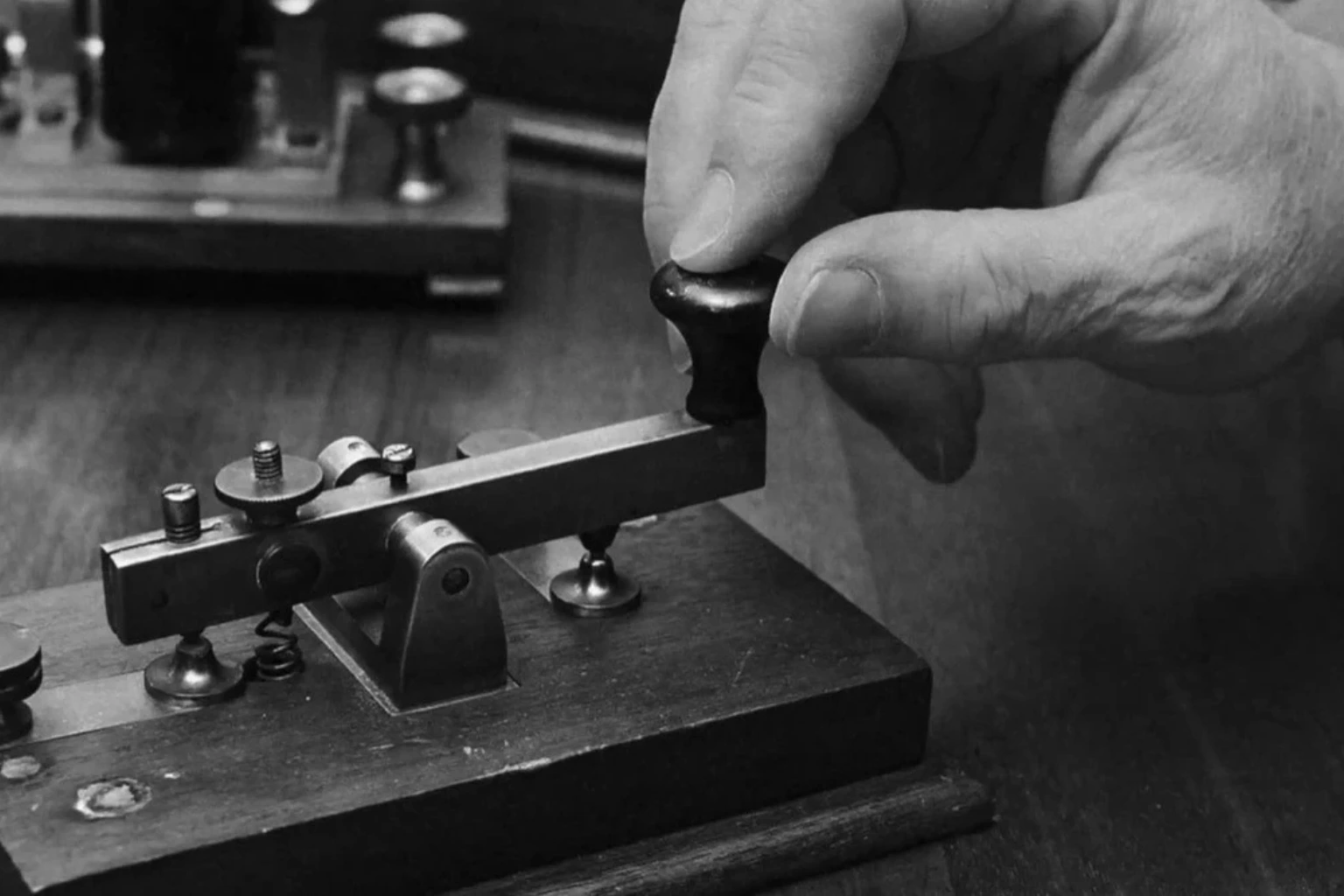
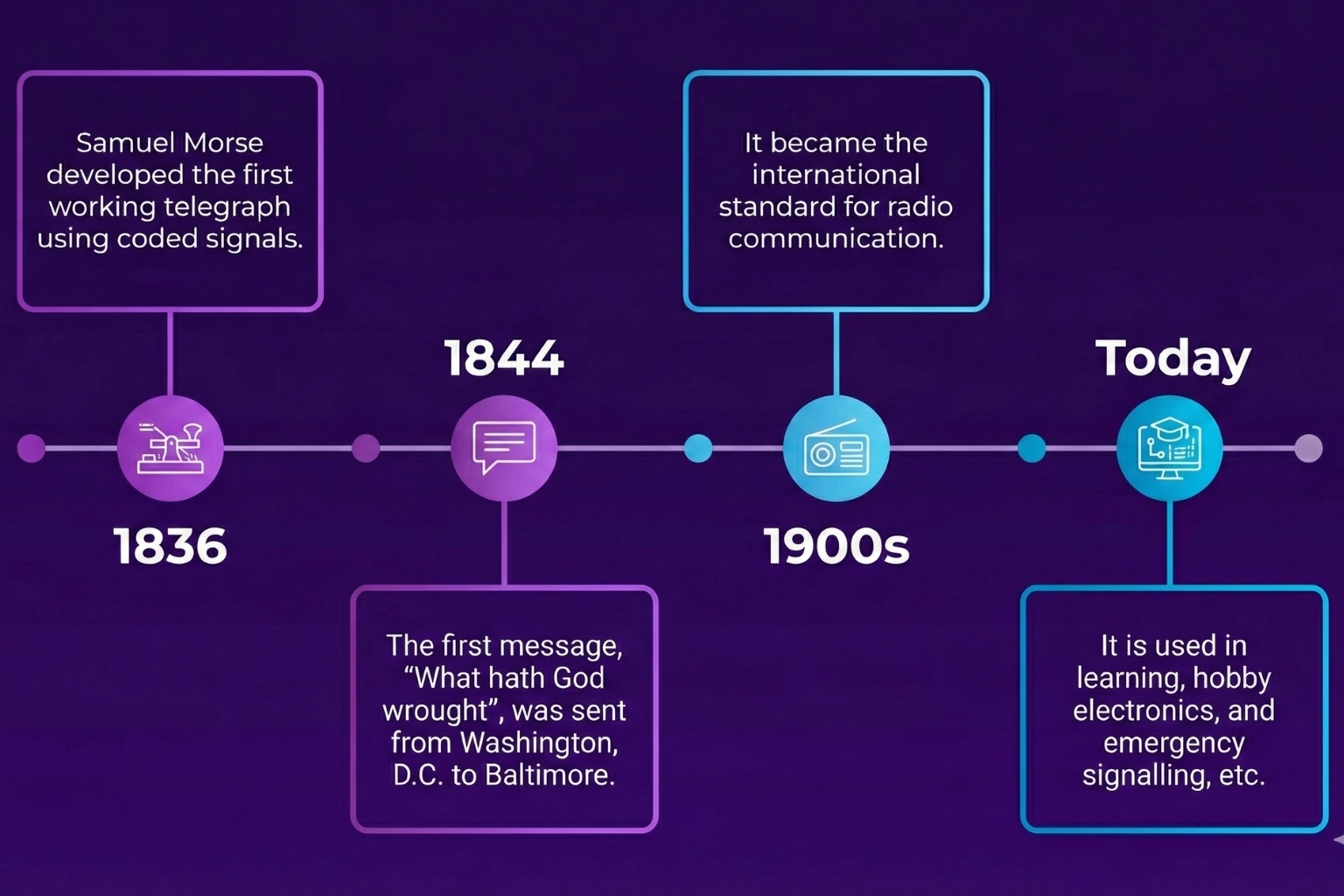
This code was invented in the early 1830s by Samuel Morse & Alfred Vail used for the electric telegraph for sending messages. It allowed people to send messages instantly across cities and countries. Over time, it became a global communication tool. Furthermore, it is also used as a supportive technology for people with disabilities.
How Does Morse Code Translator Work?
The translator works through a built-in system that matches each letter, number, or symbol with its specific Morse pattern of dots (·) and dashes (−). I remember over 20 years ago, before digital tools existed, I had to manually convert messages and often made mistakes while keeping track of the rhythm. Now, when I use a Morsecode calculator, it instantly converts it using the standard mapping system, saving time and ensuring accuracy.
It can also decode Morse signals back into readable text. Features like sound playback, light flash visualization, and signal recognition make learning interactive something I only wished for back when I practiced manually. Experiencing the contrast between old methods and the translator makes me appreciate how far Morse communication has come.
English to Morse code / Encoding
Morse code encoder section lets you type any English text message and instantly see it is in dot and dashes. Basically Morse code decipher is the process of converting English alphabets, numbers and punctuation into the MorseCode. Each English character and words has its own unique dot and dashes pattern. I remember the first time I typed “HELLO” seeing it transform into “··· · ·-·· ·-·· ––” instantly made the learning process much clearer and more fun.
For example
hello in Morse code “ ··· · ·-·· ·-·· –– ”.
SOS which translates to … — … (three dots, three dashes, three dots)
i love you in morse code “ .. / .-.. — …- . / -.– — ..- ”
i miss you in morse code ” .. / — .. … … / -.– — ..- ”
hi in morse code “ …. .. ”
help me in morse code ” …. . .-.. .–. / — . ”
yes in morse code ” -.– . … ”
i like you in morse code ” .. / .-.. .. -.- . / -.– — ..- “
Morse Code to English / Decoding
Decoding is the reverse process of encoding, where you input code to get a readable text. The Morse decoder is helpful if someone sends you a Morse message or if you want to check your own practice. I often test the Morse converter with short messages like “HELLO” or “SOSz” and seeing them instantly translated helps me catch mistakes and understand the timing of dots and dashes more clearly. The decoder recognizes dots, dashes, and spaces between letters and words automatically, ensuring accuracy and speeding up learning for beginners.
For example
“–. — — -.. / — — .-. -. .. -. –.” Will convert to “GOODMORNING”
“- …. .- -. -.- -.– — ..-” will convert to “Thank you”
“···· · ·-·· ·-·· — / ·– — ·-· ·-·· -··”it translates to hello world.
“…. . .-.. .–.” Morse code will convert to “HELP”
“… — …” translates to “SOS”
Morse Code International
International MorseCode is a standardized system of dots (·) and dashes (–) used to represent letters, numbers, and punctuation marks. It is used worldwide to send messages through sound, light, or radio signals, especially when voice communication is not possible.
Morse code alphabet
Every English letter in the Morse Code Alphabet has its own dot and dash pattern. These unique combinations of dots and dashes represent letters from A to Z. Short letters like E (·) and T (–) are sent quickly, while longer ones like Q (–.-) take more time. These Morse Code Alphabet patterns are transmitted using sound or light, allowing people to communicate messages without speaking.
| Alphabet | Morse Code |
|---|---|
| A | .- |
| B | -… |
| C | -.-. |
| D | -.. |
| E | . |
| F | ..-. |
| G | –. |
| H | …. |
| I | .. |
| Alphabet | Morse Code |
|---|---|
| J | .— |
| K | -.- |
| L | .-.. |
| M | — |
| N | -. |
| O | — |
| P | .–. |
| Q | –.- |
| R | .-. |
| Alphabet | Morse Code |
|---|---|
| S | … |
| T | – |
| U | ..- |
| V | …- |
| W | .– |
| X | -..- |
| Y | -.– |
| Z | –.. |
Morse code number translator
Number code translator in Morse code maker is represented by a specific sequence of dots (·) and dashes (–), where each digit from 0 to 9 has its own unique five-element pattern. These numeric codes were introduced to make counting time, reporting and digital style communication.
| Number | Morse Code |
|---|---|
| 0 | —– |
| 1 | .—- |
| 2 | ..— |
| 3 | …– |
| 4 | ….- |
| Alphabet | Morse Code |
|---|---|
| 5 | ….. |
| 6 | -…. |
| 7 | –… |
| 8 | —.. |
| 9 | —-. |
Punctuation
Punctuation in Morse translator refers to the special symbols made of dots (·) and dashes (–) that represent marks such as commas, periods, question marks, and others. These help structure sentences, show pauses, and make messages easier to read and understand during transmission, same as in normal situations.
| Symbol | Morse Code |
|---|---|
| . | .-.-.- |
| , | –..– |
| ? | ..–.. |
| ‘ | .—-. |
| ! | -.-.– |
| / | -..-. |
| : | —… |
| ; | -.-.-. |
| Symbol | Morse Code |
|---|---|
| = | -…- |
| + | .-.-. |
| – | -….- |
| _ | ..–.- |
| “ | .-..-. |
| $ | …-..- |
| @ | .–.-. |
| ( | -.–. |
| ) | -.–.- |
Why Use Morse Code Today?
Today, Morse code readers are still used in many modern ways, such as in aviation and naval systems for distress or identification signals. It also helps people with disabilities communicate through blinking or tapping. Interactive apps and learning tools make it easy to master, while many people learn it for fun, secret messages, or survival skills. Its simplicity shows how signals from the past still connect people today.
Features
Modern Morse Translators come with advanced yet easy-to-use features that make learning and communication simple. These tools don’t just convert text, they also offer audio, visual, and customization options for better understanding. Each feature helps users explore interactively, making it suitable for beginners, learners, and hobbyists alike.
Morse code text
The Text Feature is the main function of our Morsecode translator online, allowing you to Morse to text and English to Morse code messages instantly. You can easily convert to Morse code or translate Morse code to English with just one click. To make it even more convenient, a Copy button is included so you can quickly copy your translated message for sharing or reuse. This feature makes Morse learning fast, smooth, and user-friendly, helping you focus on understanding rather than manual conversion.
Morse code sound
The Sound Feature in our audio Morse code translator lets you hear your message through short and long beeps that represent dots and dashes. A Morse code sound translator helps you understand Morse patterns by ear, just like traditional telegraph communication. You can control playback easily with Play, Pause, and Stop options to start, pause, or reset the sound anytime. It’s designed to make your learning smooth, flexible, and interactive. In the Morse code audio translator, you can also adjust the tone, pitch, and speed to match your preference, making practice more enjoyable and realistic
Morse code light translator
The Morse code light feature displays code through short and long flashes that visually represent dots and dashes. It helps you understand how Morse communication works using light signals, just like those used in ships or emergency signaling. This feature is especially useful for visual learners who prefer recognizing patterns through sight rather than sound. It adds a realistic and engaging touch to your Morse code practice, making learning both simple and enjoyable.
Extra Features
Modern translators offer useful features that make learning Morse code more practical and engaging. These tools use sound, light, and digital signals to simulate real communication, helping beginners and advanced users practice comfortably without making the system complex.
Play & Pause
The Play button instantly turns your text into Morse beeps, flashes, or vibrations. The Pause button lets you stop anytime to review a pattern. You can resume from the same point, making practice simple and comfortable.
Speed
The Speed control lets you adjust how fast Morse code plays. Slower speed helps beginners recognize patterns, while faster speed challenges advanced users, allowing everyone to learn and improve at their own pace.
Volume
The Volume control lets you adjust how loud or soft the audio plays. You can lower it for quiet study or increase it in noisy surroundings for clear practice.
Share
The Share option allows you to send your Morse code text or audio to others easily. It helps you practice with friends or share your work online, making learning more interactive and motivating.
Repeat
The Repeat feature allows you to replay your Morse message multiple times for better understanding. It helps you memories dot and dash patterns through repetition, improving accuracy and confidence step by step.
Pitch
The Pitch feature lets you change the tone of Morsecode sounds. You can increase or lower the pitch based on comfort, making listening easier and more pleasant during longer practice sessions.
Vibration
The Vibration feature sends Morsecode using short and long pulses. Short vibrations represent dots and long ones show dashes, allowing users to feel messages through touch without sound or visuals.
Accessibility Features
Accessibility features include vibration output, clear sound options, and readable text. These tools support users with hearing or vision difficulties, ensuring Morse code learning is comfortable for everyone.
Save Audio
The Save Audio feature lets you store generated Morse sounds on your device for later use. You can listen offline or share recordings for practice, helping you improve rhythm and timing anytime, anywhere.
Settings & Customization
Settings allow you to customize sound, speed, and timing based on your preference. These options make the translator flexible and user-friendly, helping learners practice Morsecode in their own style.